
Capture Reality
in Stunning 3D
Professional-grade 3D scanning in your pocket. High precision, real-time processing, and an ever-growing catalog of scans — for medicine, fitness, architecture, and beyond.
Remote Control Your
3D Scanner
Mirror your iPhone's depth camera, control scans remotely, and scan any object — all from your Android device.
iPhone-to-desktop streaming is available. Get a Studio subscription in the iPhone app.
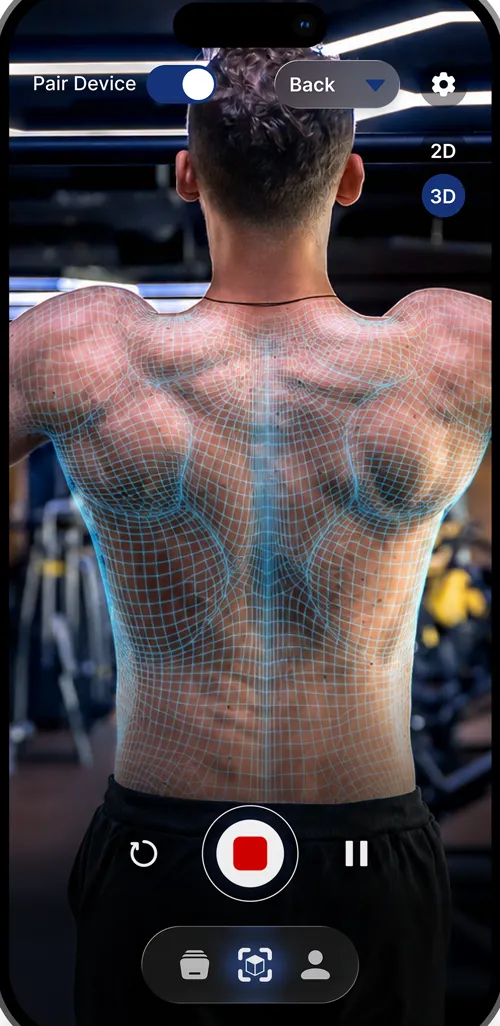
Powerful Features, Zero Complexity
Everything you need for professional 3D scanning, right in your pocket.
Companion Features
Control your iPhone's scanner remotely from your Android device.
High Precision Scanning
Sub-millimeter accuracy powered by on-device depth capture. Capture every detail with professional-grade precision that rivals industrial scanners.
Real-Time Processing
Watch your 3D models build in real time. Advanced algorithms process depth data instantly, so you can see results as you scan — no waiting required.
Scan Catalogs
Organize, browse, and manage your scans with built-in catalogs. Export in multiple formats, share with your team, or archive for future reference.
Live Screen Mirroring
See exactly what your iPhone's depth camera captures — streamed in real time to your Android device for a clear, full-screen preview.
Remote Control
Start, stop, and manage scans directly from your Android phone. No need to touch the iPhone once scanning begins.
Scan Any Object
Since the iPhone depth camera is front-facing, the companion app lets you position objects freely while monitoring the scan from another angle.
One Scanner, Endless Possibilities
From healthcare to architecture, UniScan adapts to your world.
Medicine & Healthcare
Body scanning for prosthetics fitting, wound measurement and monitoring, orthodontic impressions, and postural assessments. Bring clinical-grade 3D capture to the point of care.
Fitness & Training
Track body composition changes over time, analyze posture and form, and visualize your progress in 3D. Perfect for personal trainers, athletes, and fitness enthusiasts.
Architecture & Design
Scan rooms, buildings, and objects for renovation planning, interior design, or digital archiving. Export to CAD-ready formats for seamless integration into your workflow.
See It In Action
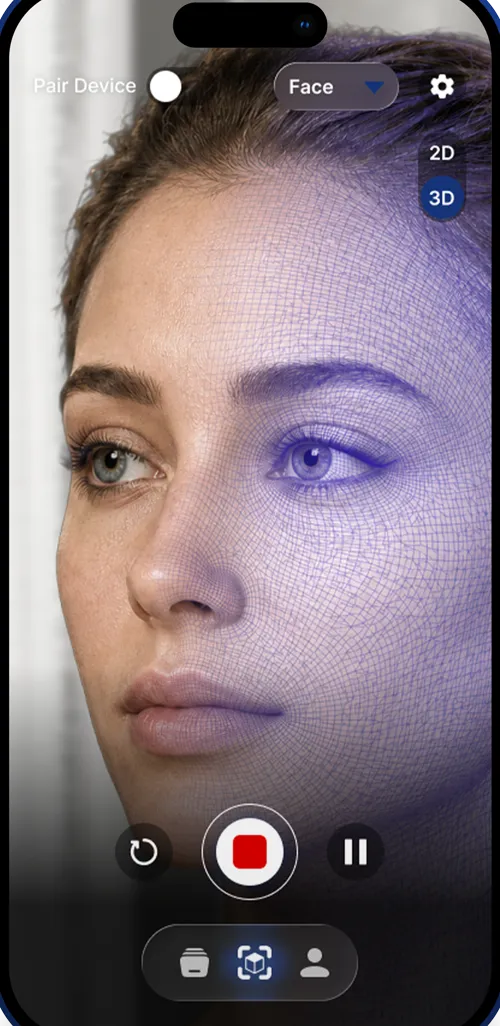
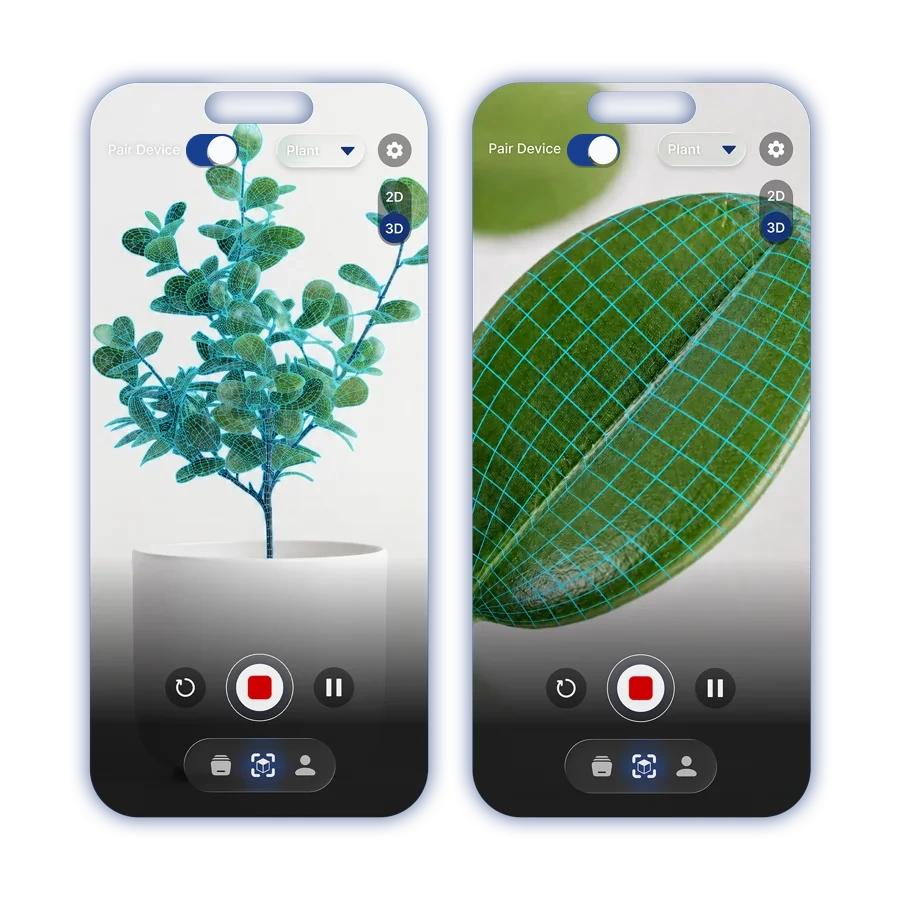
From the human body to faces — capture anything with real-time depth precision.
Built on
Cutting-Edge Sensors
UniScan leverages Apple's depth camera system to capture dense point clouds with sub-millimeter accuracy — all processed on-device in real time.
Depth Sensor
Leverages Apple's infrared dot projector and depth camera for unmatched precision in 3D capture.
On-Device Processing
All computation happens locally on your device. No cloud dependency, no upload wait times, full privacy.
Multi-Format Export
Export your scans as OBJ, PLY, STL, or USDZ. Ready for 3D printing, CAD software, or AR experiences.
Android Companion App
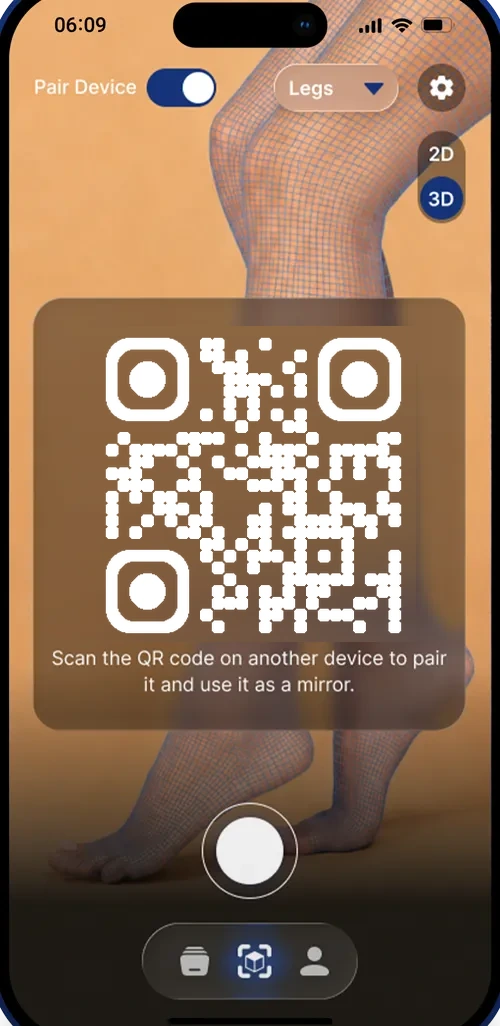
Pair your Android phone with your iPhone to unlock hands-free scanning of any object.
The iPhone depth camera sits on the front — great for face scans, but tricky for scanning other objects. The Android companion app solves this by mirroring your iPhone's screen and giving you full remote control, so you can point the iPhone at anything and manage the scan from your Android device.
Live Screen Mirroring
See exactly what your iPhone's depth camera captures — streamed in real time to your Android device for a clear, full-screen preview.
Remote Control
Start, stop, and manage scans directly from your Android phone. No need to touch the iPhone once scanning begins.
Scan Any Object
Since the iPhone depth camera is front-facing, the companion app lets you position objects freely while monitoring the scan from another angle.
How It Works
Install the companion app on your Android phone
Connect both devices on the same Wi-Fi network
Mirror the screen and control scans remotely